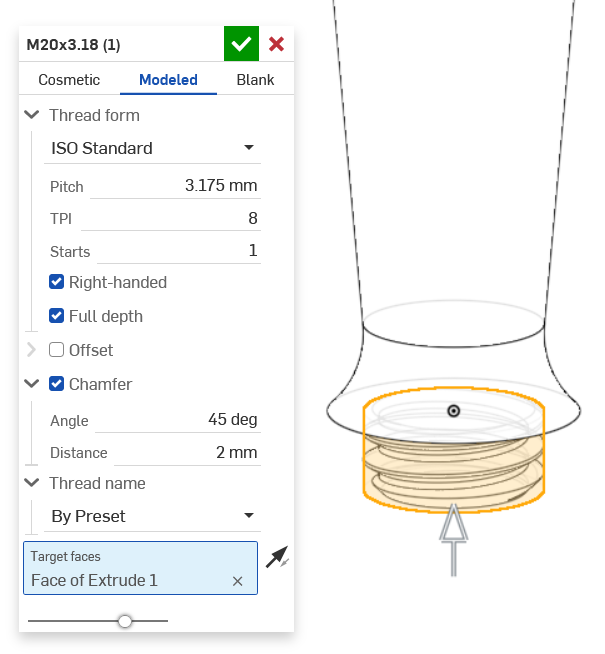
OnShape1 offers two types of tools for drawing threads: hole and external thread. They are great when you draw parts because the tool links the information in the CAD model to the drawing with the right information. The only downside is when you start to design parts for a 3D printer, OnShape1 defines the surface as an internal or external thread but it doesn't represent it in the 3D model. In some cases, the thread will be 3D printed so it needs to be represented as a 3D object in the model.
Here comes a great tool called ThreadLab, developed by antlu56.
Installation
- In the toolbar, click on the button
Add custom features

- Past the FeatureScript link in the URL area: https://cad.onshape.com/documents/5c0528b62c1fbb13a2a0e739/w/9f9185ce078357d93c7d0853/e/7cbb452d4d5e963a034ce616
- Click on the module name in the list

Usage
- Draw a hole for an internal thread or a cylinder for an external one
- Select the desired hole or cylinder
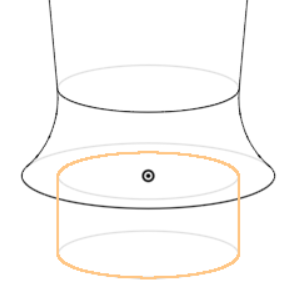
- Open the ThreadLab tool
- Configure the thread as needed. For 3D printing, don't forget to select the tab
Modeledto have the thread modeled on the part.